A robot kit can be an excellent gift and a surprisingly poor match at the same time. One child wants to build a machine with screws and motors; another wants something that moves immediately. A teacher may need dependable lesson preparation more than another impressive demonstration. Makeblock sells products for all three situations, but choosing by age badge or price alone misses the differences that matter.
This Makeblock review compares mBot, mBot2, Ranger, Codey Rocky, Ultimate, and mTiny around the work learners actually do. The search intent is a buying decision: which kit fits, what does the upgrade buy, and what should you check before ordering? This is a research-based assessment of official documentation and selected public feedback, checked on October 29, 2026. No robot was supplied or physically tested, so there are no invented battery measurements, build-time results, or classroom success claims.
Makeblock at a Glance
Worth considering when the learning format matches the learner. Best all-round starting point to investigate: mBot2 for building plus block-based and Python coding. Choose mBot for a lower-cost introduction, Codey Rocky for less assembly, Ranger or Ultimate for construction, and mTiny for screen-free sequencing. Strengths include distinct learning formats and extensive support resources; limitations include setup friction, accessory costs, and conditional returns. No numerical score is assigned without hands-on testing.
Choose the Learning Experience First
Compare building, ready-to-program, and screen-free options before choosing a bundle.
Compare Makeblock Robot Kits →What Is Makeblock?
Makeblock is an educational robotics brand offering programmable robots, construction kits, accessories, and learning resources for homes and schools. Its catalog spans early sequencing activities through more involved mechanical projects. This review focuses on those robots rather than the laser equipment also linked from its storefront. A shared brand name does not mean every product uses the same controller, programming language, or accessories.
The attraction is physical feedback: instructions on a screen can produce movement, sound, or a sensor response in front of the learner. That makes debugging concrete. A wrong turn becomes a question about the program, the wiring, the surface, or the build. Whether that becomes meaningful learning depends on the activity and guidance; buying a robot does not itself establish educational progress.
Makeblock mBot Reviews: The Affordable Starting Point
The original mBot remains the straightforward option for someone who wants to assemble a small robot and explore basic control. Makeblock positions it as an entry-level kit, with block-based programming and an Arduino route in its comparison documentation. Its appeal is a manageable first project rather than the most elaborate hardware. The lower starting price also leaves room to discover whether robotics holds the learner’s attention.
Choose it when a simple rolling robot is enough to make the first lessons interesting. A sequence that drives, turns, and responds to an input can introduce useful ideas without a large construction set. However, do not buy it expecting the same controller or software features as mBot2. If a particular course is the reason for buying, match its required hardware to the actual listing, including the connection version and power arrangement.
Makeblock mBot2 Review: The Most Balanced Upgrade
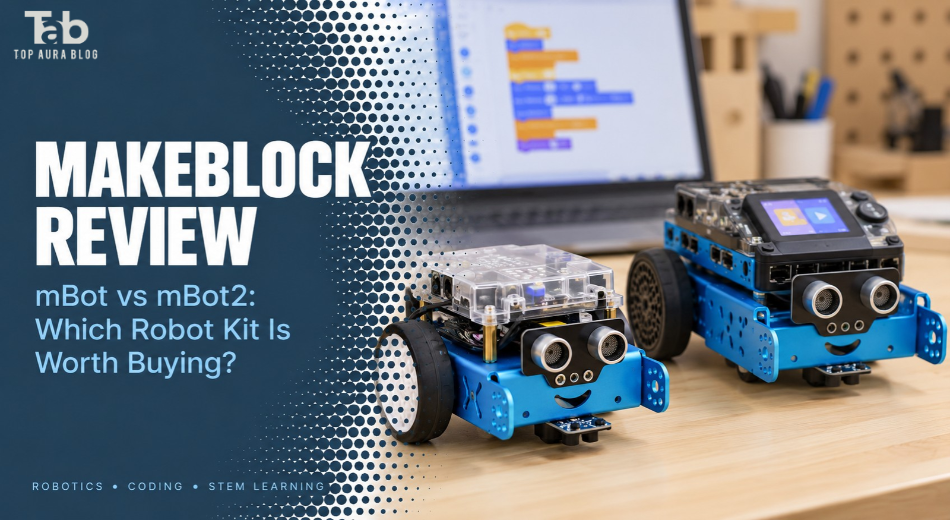
mBot2 is the more persuasive starting point for a family planning repeated coding sessions. Its official documentation identifies CyberPi, the mBot2 Shield, ultrasonic sensor, quad RGB sensor, and encoder motors. Those components provide different inputs and outputs for experiments. The recommendation is an editorial judgment about the documented platform, not a claim that its movement accuracy or durability was measured here.
Encoder motors are particularly relevant when an activity involves controlling movement and comparing an intended action with feedback. Color and distance sensing also create more varied projects than remote driving alone. A learner can investigate a route, react to a marker, or change behavior when an obstacle appears. Physical conditions still matter: a polished program can behave differently on another floor or under different lighting.
Makeblock advertises a progression from blocks to Python. That makes mBot2 interesting for someone who wants room beyond introductory puzzles, although Python support should not be confused with an entire computer-science course. Ask which lessons, extensions, and connection method your chosen device supports. Internet-dependent or AI-related activities deserve separate checking rather than an assumption that everything works offline.
Makeblock mBot vs mBot2: Is the Extra Cost Sensible?
| Buying question | mBot | mBot2 |
|---|---|---|
| Main reason to choose | Lower-cost first build | Broader coding progression |
| Documented language routes | Blocks and Arduino | Blocks and Python |
| Platform distinction | Original mBot hardware | CyberPi-based platform |
| Best fit | Testing an interest in robotics | Planning a sustained learning routine |
| Important check | Version, power, course compatibility | Device support, extensions, bundle contents |
The upgrade is easiest to justify when you can name the next activities. If Python is on the learning plan, or the course explicitly requires CyberPi, mBot2 has a clearer purpose. If the goal is simply to understand a loop through a moving robot, the original mBot may be sufficient. Buying the more capable kit is less useful than choosing one you will prepare and use regularly.
Existing owners should be especially cautious about assuming an upgrade preserves every accessory. Mechanical attachment and electronic compatibility are separate questions. Check connectors, voltage requirements, controller support, and the project instructions for each component. A familiar-looking cable or shared manufacturer is not enough to establish interchangeability.
Makeblock mBot Ranger Review: Better for Builders
Ranger emphasizes rebuilding, with three advertised configurations: a tracked vehicle, a self-balancing robot, and a racing car. Its Me Auriga controller and block-based/Arduino programming route distinguish it from mBot2. For a child who enjoys the engineering process, changing the structure can be the main activity rather than an interruption before coding. The forms are alternative builds, not three complete robots supplied together.
The practical trade-off is time spent managing parts and checking assembly. That can be rewarding when the learner likes mechanical problem-solving, but frustrating when they only want to try a program quickly. Makeblock’s broad terrain language should not be treated as a tested promise for every outdoor surface. Start with controlled indoor conditions, then follow the manual’s operating limits and protect electronics from moisture.
Codey Rocky, Ultimate, and mTiny: Three Different Choices
Makeblock Codey Rocky review: coding with less construction
Codey Rocky is the sensible comparison when assembly is the obstacle. Makeblock describes it as ready to program without building and lists block-based and Python support. Its expressive display and rolling format lend themselves to interactive activities. That makes it relevant to a short lesson in which assembling a chassis would consume the available time.
It is less convincing for someone whose favorite part is taking a mechanism apart. You are choosing a more immediate coding experience over the construction emphasis of a metal kit. Before buying, find an actual lesson that interests the learner and check its device requirements. An appealing character design may attract attention, but the next task determines whether attention lasts.
Makeblock mBot Ultimate review: a larger engineering commitment
Ultimate is marketed as a ten-in-one construction platform with more than 160 electronic and mechanical parts. Its strongest case is an older or experienced learner who wants to rebuild mechanisms rather than repeat one car activity. The kit offers a larger project vocabulary, but model count should not be mistaken for ten finished machines or ten equally easy assignments.
A larger set also needs a workable storage system and patience with disassembly. Sort fasteners and retain the build instructions before starting another configuration. If the learner already abandons small builds midway, adding parts is unlikely to fix the problem. Ultimate makes more sense as an extension of an established interest than as an expensive test of whether that interest exists.
Makeblock mTiny robot review: screen-free sequencing
mTiny uses a tap pen, cards, and themed maps without requiring a phone, tablet, or computer for its core activities. This is a different learning format, not a smaller substitute for Python robotics. The useful task is arranging instructions and predicting what happens next. An adult can ask the child to explain a route before the robot follows it.
Makeblock places mTiny in its age-four-and-up navigation category, but readiness still varies. Read the exact package’s age guidance and supervise according to its instructions. Screen-free does not mean supervision-free or indestructible. For an older child eager to write programs on a computer, the same format may feel limiting rather than refreshingly simple.
First Impressions and Setup: What the Photos Cannot Tell You
The range has a clear visual split between exposed construction hardware and more finished character robots. Product photos help judge that preference, but cannot establish packaging protection, connector feel, or assembly tolerances. No unboxing inspection was performed for this review. On delivery, compare the contents with the selected package and document missing or damaged components before beginning.
For connected kits, prepare the software before involving an impatient learner. Confirm the supported operating system, correct robot selection, connection method, and any permission or driver requirements in the current guide. Charging, firmware, and a basic connection check are preparation tasks worth doing separately. For school-managed devices, involve IT before assuming app installation or wireless connections will be permitted.
Performance and Practical Use: Plan Beyond Remote Control
The most productive starting project has one visible objective: travel to a marker, stop at an obstacle, or respond to an input. First make a minimal program work, then change one variable. Ask the learner to predict the effect before running it. This is a suggested teaching approach, not a report of observed classroom results or a guarantee of improved attainment.
Separate mechanical faults from programming faults. A loose connection, an obstructed wheel, or inconsistent starting position can make a correct algorithm appear wrong. Conversely, repeatedly uploading code will not fix a misassembled mechanism. A simple troubleshooting routine helps preserve motivation because each change answers a question instead of introducing several new possibilities.
For shared use, allocate roles and rotate them: one learner operates the software while another checks the build and records the result. Leave time to put parts away and recharge. A kit that occupies every minute with preparation can be a poor classroom choice even if its demonstrations are impressive. At home, several short purposeful sessions may be easier to sustain than one ambitious weekend project.
Pricing and Value for Money
The official US catalog and listings displayed the following USD prices during research. These are snapshots, not guaranteed checkout totals or quotes for every edition. Compare the selected configuration, included power accessories, shipping, tax, and local seller support. International buyers should obtain a regional quote rather than convert a US price and assume the same package is available.
| Robot | Displayed USD price | Value question |
|---|---|---|
| mBot | $69.99 | Enough for your first planned projects? |
| mBot2 | $149.99 | Will you use its broader coding route? |
| Codey Rocky | $139.99 | Is less assembly worth prioritizing? |
| mBot Ranger | $169.99 | Does rebuilding appeal to the learner? |
| mTiny | $229.99 | Is screen-free interaction the priority? |
| mBot Ultimate | $399.99 | Is there an established engineering interest? |
At those displayed prices, mBot2 costs $80 more than mBot. That premium is sensible when the added platform capabilities serve a course or a real next step. It is not automatically sensible for occasional remote-control play. Similarly, Ultimate’s price is easier to defend when rebuilding is the attraction; it is harder to justify as a more impressive-looking gift.
Budget for the complete setup instead of comparing discount percentages. A classroom package may include charging, storage, or teaching materials that individual boxes omit. The mBot2 purchase listing also limits direct delivery to the contiguous United States and directs other buyers toward distributors. Confirm who will handle faults locally, particularly when international return shipping would undermine the apparent saving.
Compare the Complete Package
Check the robot, power accessories, teaching resources, and delivered total together.
Check Makeblock Options →Returns and Warranty: Read the Detailed Terms
Makeblock’s return page describes service fees of 10% for unopened goods, 15% for opened but unused goods, and 30% for qualifying used goods, with conditions and return shipping costs. It also mixes receipt-based and shipment-based deadlines. Obtain written confirmation of the applicable deadline and deductions before treating the advertised return period as a low-risk trial. Purchases elsewhere follow that seller’s return process.
Warranty coverage is component-specific. The published table gives many electronic modules twelve months, certain motors three months, and batteries six months; Codey Rocky has its own component entries. Ask how the policy applies to your exact model and retain the invoice. A product-page warranty badge does not establish identical coverage for every cable, moving part, and battery.
Makeblock Pros and Cons
| Advantages | Limitations |
|---|---|
| Different formats for different learning goals | Model names do not guarantee accessory compatibility |
| Building and programming can be combined | Setup can require adult or IT preparation |
| Documented routes beyond beginner blocks | Language support varies by robot |
| Guides and replacement-component resources | Availability must be checked for the exact part |
| Screen-free mTiny option | Advanced sets need time, storage, and supervision |
| Public return and warranty policies | Fees, deadlines, and component exclusions matter |
Who Should Buy Makeblock—and Who Should Avoid It?
Makeblock suits families and educators who want to turn coding into a physical activity and can provide some preparation. Start with the learner’s preferred task: constructing, programming, or arranging tangible instructions. A younger beginner does not necessarily need the simplest-looking robot, and an older child does not necessarily want the largest set. Prior experience and patience matter alongside age.
| Priority | Model to investigate |
|---|---|
| Lower-cost first build | mBot |
| Building with a blocks-to-Python plan | mBot2 |
| Coding without a construction session | Codey Rocky |
| Alternative mechanical builds | Ranger; Ultimate for a larger commitment |
| Screen-free early sequencing | mTiny |
Skip or postpone the purchase if nobody can help with initial software setup, if the required device is unavailable, or if the learner specifically dislikes troubleshooting. A straightforward remote-control toy may better serve someone who only wants to drive. Likewise, a free coding environment may be enough to test interest before buying hardware. The purchase becomes stronger when you have identified the first few projects.
Customer Feedback and Common Concerns
The public Trustpilot material reviewed includes praise for educational use and a report of helpful spare-parts support, alongside a complaint about connecting and programming across devices. These are individual accounts spanning different years and products, not evidence of a current failure rate. A positive mBot2 experience cannot establish Ranger reliability, and an old tablet complaint cannot establish that today’s software has the same problem.
Read Makeblock reviews for the precise model, software version, and device combination you intend to use. Useful feedback explains what was attempted, where it failed, and whether support resolved it. Short expressions of enthusiasm or frustration provide less buying guidance. Storefront testimonials can add context, but they are not a substitute for recent compatibility documentation or independent testing.
Competitor Comparison: Compare Learning Formats
| Option | Main format | Reason to compare |
|---|---|---|
| Makeblock mBot2 | Buildable mobile robot | Combine assembly with programming |
| Makeblock Codey Rocky | Ready-to-program mobile robot | Reduce construction preparation |
| Sphero BOLT+ | Enclosed programmable rolling robot | Prioritize coding activities over building |
| BBC micro:bit with suitable accessories | Programmable board and optional projects | Explore physical computing beyond a single robot |
Sphero BOLT+ is a relevant alternative when coding activities matter more than rebuilding a chassis. The BBC micro:bit offers a different starting point: a programmable board for sensing and interactive projects, with additional hardware needed for a mobile robot. Compare complete project costs and the lessons available for your device. Neither alternative was tested against Makeblock for this review, so the table describes choices rather than a performance ranking.
Frequently Asked Questions
Is Makeblock worth buying?
It can be worthwhile when you have a suitable device, a clear project plan, and time for setup. Choose the learning format first. A larger or more expensive kit is not automatically more useful to a beginner.
Which Makeblock robot is best for beginners?
Investigate mBot for a lower-cost first build, mBot2 for a broader programming plan, and Codey Rocky when construction would delay the lesson. mTiny serves a different purpose through screen-free sequencing. Follow the exact model’s age guidance.
What is the difference between mBot and mBot2?
They use different hardware platforms. Makeblock documents blocks and Arduino for mBot, while mBot2 uses CyberPi and offers blocks and Python. Check your course and accessories against the exact model before choosing.
Can mBot2 teach Python?
Makeblock supports Python programming on mBot2, giving learners a route beyond blocks. That support does not mean the kit supplies a complete Python course. Verify the lessons, extensions, and device requirements for the activities you want.
Is mBot Ranger better than mBot2?
Ranger is more relevant when rebuilding different mechanisms is the priority. mBot2 is more relevant to a CyberPi-based blocks-to-Python plan. Neither is universally better; their controllers and learning routes differ.
Does Codey Rocky require assembly?
Makeblock presents Codey Rocky as ready to play and program without a building stage. You still need to prepare charging, software, and connection steps. This makes it worth comparing for shorter coding sessions.
Is mTiny really screen-free?
Its core activities use a tap pen, coding cards, and maps without a phone, tablet, or computer. It introduces sequencing through tangible interaction rather than text programming. Adult involvement and the product’s instructions still matter.
Does mBot Ultimate include ten robots?
The ten-in-one description refers to alternative configurations built from the kit. It does not mean ten complete robots are supplied for simultaneous use. Plan for rebuilding, organizing components, and following model-specific instructions.
Do Makeblock accessories work with every robot?
Do not assume universal compatibility. Mechanical fit, electronic connectors, power requirements, and software support are separate checks. Match each accessory’s documentation to your controller and intended project.
Can I return a Makeblock robot after trying it?
The official policy includes conditional used-product returns with substantial service fees and shipping costs, and its deadline wording needs clarification. Obtain approval and confirm the terms for your purchase. Other retailers apply their own return policies.
Final Verdict: Buy for the Next Project
Makeblock’s strongest feature is choice, provided that choice is made carefully. mBot2 is the most balanced model to investigate for a continuing build-and-code routine. The original mBot remains relevant to a tighter budget, Codey Rocky reduces construction demands, and Ranger or Ultimate rewards a genuine interest in mechanisms. mTiny stands apart for tangible, screen-free activities.
Overall value depends on use, preparation, and the complete package. Choose something simpler if software support, supervision, or repeated troubleshooting would stop the activity happening. This review withholds a numerical rating because no hardware was tested. The buying recommendation is conditional but clear: select the robot around the learner’s next projects, then confirm compatibility and purchase terms before paying.
Find the Kit You Will Actually Use
Choose a learning format, read its beginner guide, and confirm the exact bundle before ordering.
Explore Makeblock’s Range →